Free Chrome extension · Threads
Schedule your Threads posts. Optional AI drafts. All local.
Postpilot plans and schedules your Threads posts straight from your browser. Build a queue, auto-distribute it across days, and publish through the native Threads scheduler or in Live mode. AI drafting is optional and runs on your own key — nothing leaves your device.
Native Threads scheduling or Live modeAI drafts on your own key (optional)Local-only — keys never leave your browserFree, no subscription
What Postpilot does
A focused scheduler for Threads — no marketplaces, no other networks, no telemetry.
Scheduled posting for Threads
Two modes: queue posts through the native Threads scheduler (the server publishes, your PC can be off) or Live mode (the extension publishes at the exact moment).
Content queue + auto-distribute
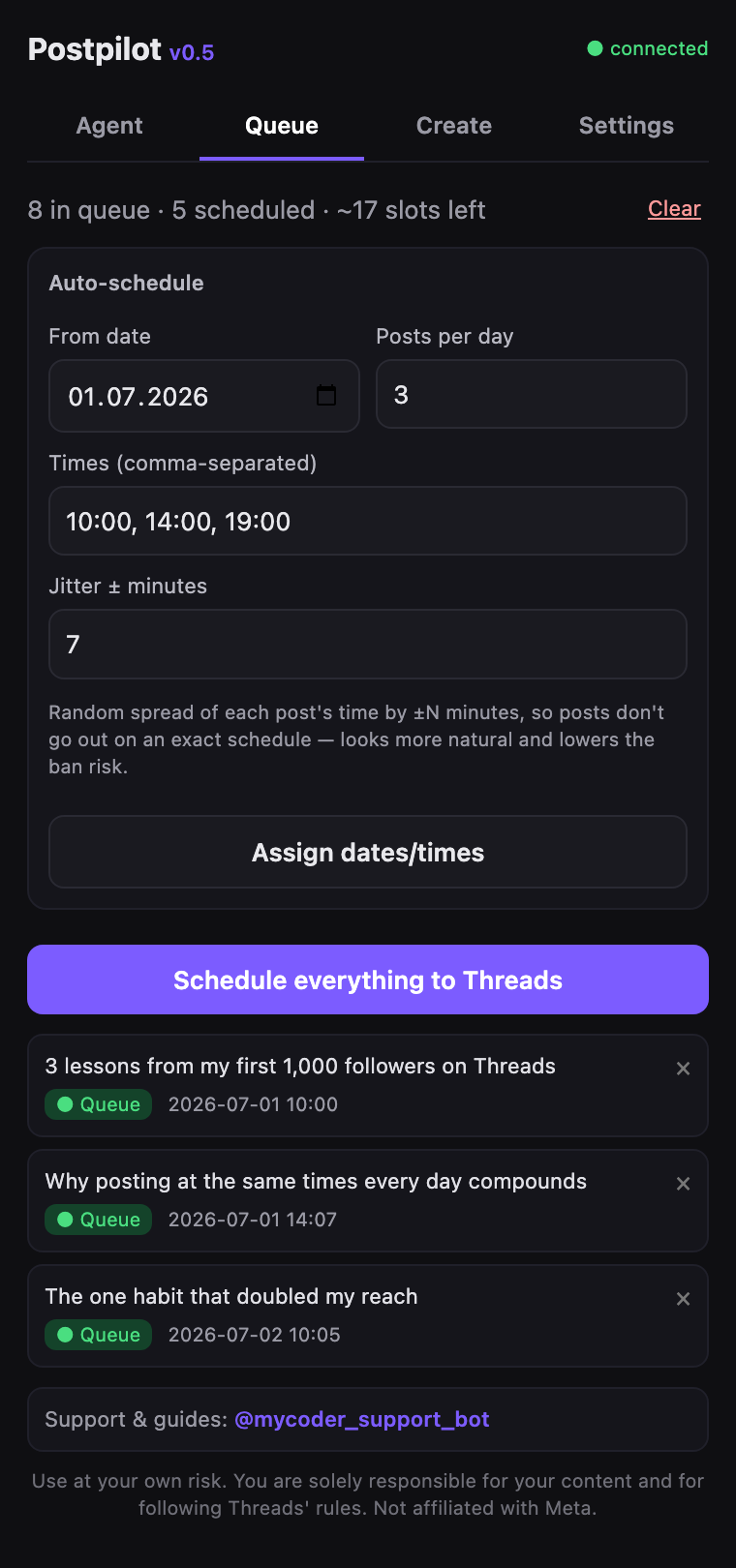
Add posts with dates and times, or auto-spread them across days and slots with a random jitter so the schedule looks natural.
Optional AI drafts
Generate post drafts from a topic and a count. Can analyze your existing posts and write in your style. Runs on your own key.
Import from a file
Bring posts in bulk from CSV, TXT or JSON.
Threads / multi-part posts
Posts made of several connected parts are supported.
Fully local, 5 languages
No backend — keys and content stay on your device. Interface in English, Español, Português, Français and Русский.
Agent mode (optional)
Set a topic and a posting goal, and the extension drafts posts with your AI key and fills the queue toward that goal. Off by default, you decide if and when to turn it on.
Thread auto-split
Text over the 500-character limit is automatically split into a numbered thread, so long posts publish cleanly.
AI
AI is optional — and only for text
You stay in control. By default AI only writes drafts, and nothing is generated or queued until you say so. The optional Agent mode can draft and queue posts for you, but it stays off until you turn it on, and AI never touches your account credentials.
See it in action
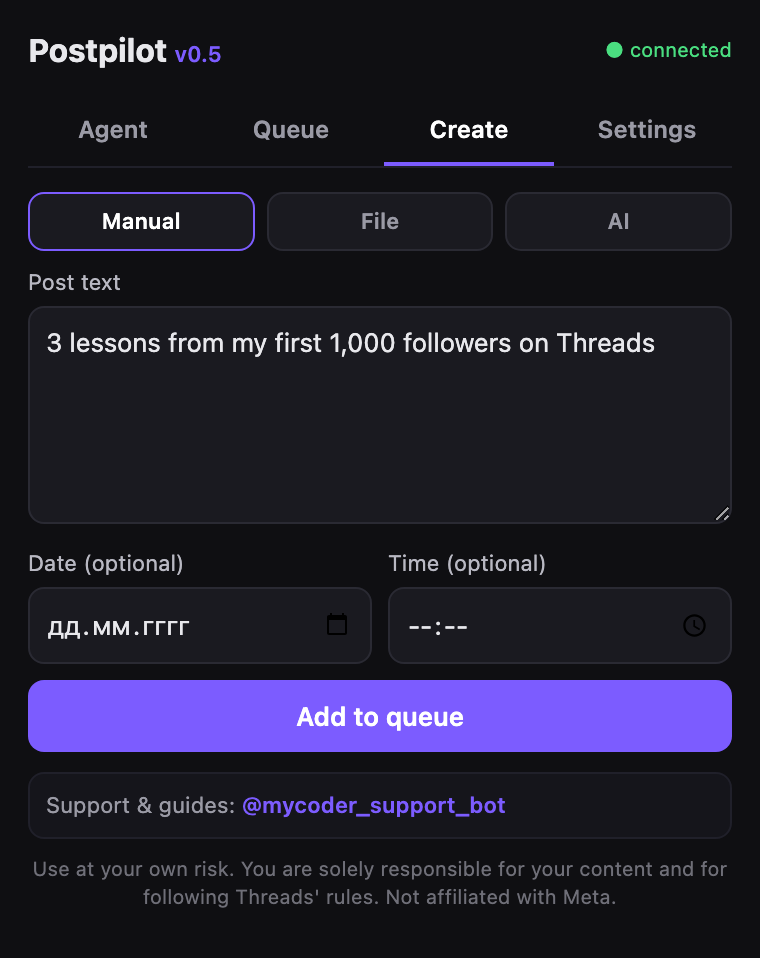
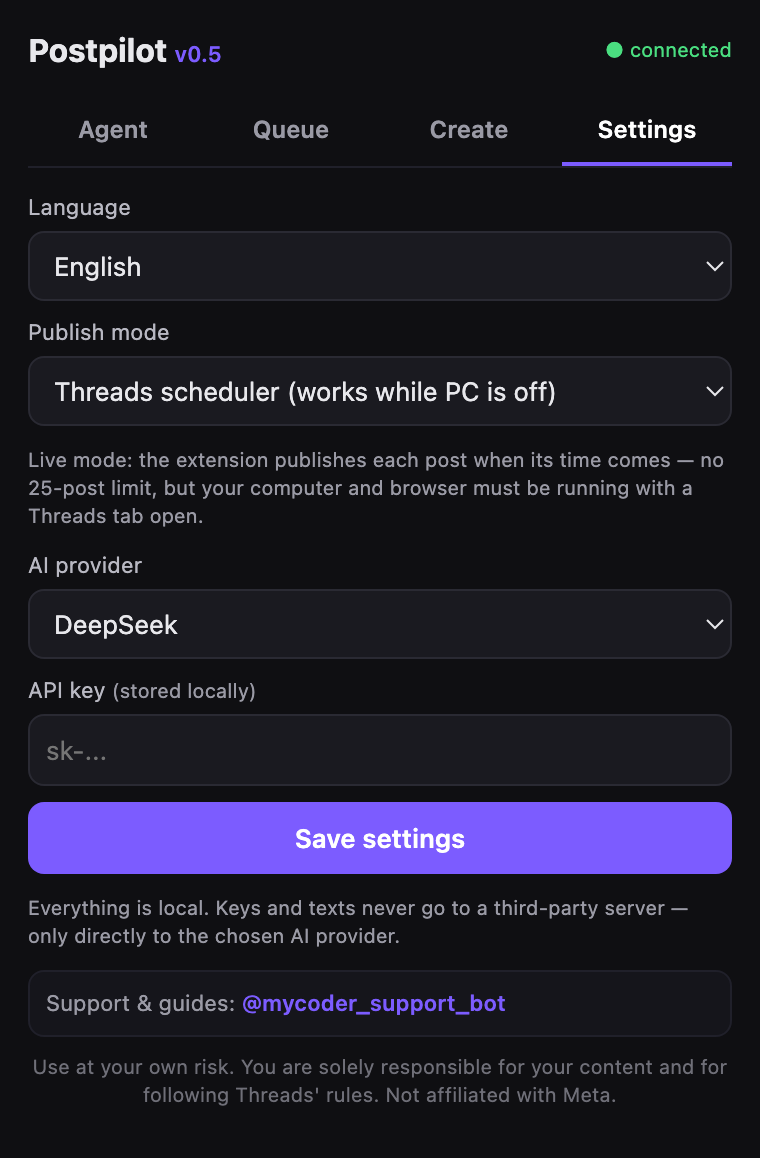
The real Postpilot popup — running locally in Chrome.
How it works
From install to a full queue in a few minutes.
Install from the Chrome Web Store
One click. Manifest V3, runs locally in your browser.
Open threads.com and log in
Postpilot works on the page where you are already signed in.
Open the Postpilot popup
Click the Postpilot icon in your toolbar.
Create your posts
Type them, import a CSV/TXT/JSON file, or generate drafts with AI.
Build the queue
Set dates and times — or hit auto-distribute with natural jitter.
Choose a mode and schedule
Native Threads scheduling or Live mode — then schedule. Done.
Pricing & limits
The extension is free. The only possible cost is AI, and only if you choose to use it.
The extension is 100% free — no subscription, no in-app upsell.
AI drafting is optional. If you use it, you pay your provider (DeepSeek / OpenAI / Anthropic) on your own API key.
Platform limit (not ours): the native Threads scheduler holds 25 scheduled posts at once. Postpilot refills slots as they free up, as long as Chrome is running with a threads.com tab open.
Live mode has no 25-post limit, but your browser and the Threads tab must be open at publish time.
FAQ
Is Postpilot really free?
Yes. The extension is fully free with no subscription and no paywalled features. The only optional cost is AI drafting, which runs on your own API key and is billed by your provider, not by Postpilot.
Which platforms does it post to?
Threads only (threads.com / threads.net). It does not post to marketplaces, other social networks or blogs.
Is this an official Threads or Meta tool?
No. Postpilot is an independent extension and is not affiliated with, endorsed by or operated by Threads or Meta. It works on the Threads page where you are already logged in.
Do my API keys leave my device?
No. There is no Postpilot server. Your keys and content stay in your browser; when you use AI, the request goes directly from your browser to the provider you chose.
Which AI providers are supported?
DeepSeek, OpenAI and Anthropic. You pick one and use your own key. AI is optional — you can schedule posts without ever turning it on.
What is the 25-post limit?
That is a Threads platform limit on its native scheduler. Postpilot keeps your queue and refills slots as posts publish, as long as Chrome is running with a threads.com tab open. Posts already handed to the native scheduler publish even with your browser closed. If you need more in-flight, use Live mode (browser must stay open).
Postpilot is an independent tool and is not affiliated with, endorsed by or sponsored by Threads or Meta Platforms, Inc. "Threads" is a trademark of its respective owner.
Plan a week of Threads in minutes
Install the free extension and build your first queue today.